Touchscreen + onboard computer.
Waveshare ESP32-S3-Touch-LCD-1.46, SKU 29565. The 412 × 412 round screen and ESP32-S3 share one board. Choose the standard protective-cover model; the no-cover 1.46B and widened-cover 1.46C are different variants.
Z-ARK / A CUSTOM DIGIMON HANDHELD
A 3D-printed enclosure houses an onboard Waveshare ESP32-S3 device and a 1.46-inch round touchscreen, running our custom Digimon game. Choose an egg, raise and evolve a partner, then explore walking encounters, battles and capture.
Touch-first play · Custom firmware · C14-P19 enclosure
01 / INSIDE THE BUILD
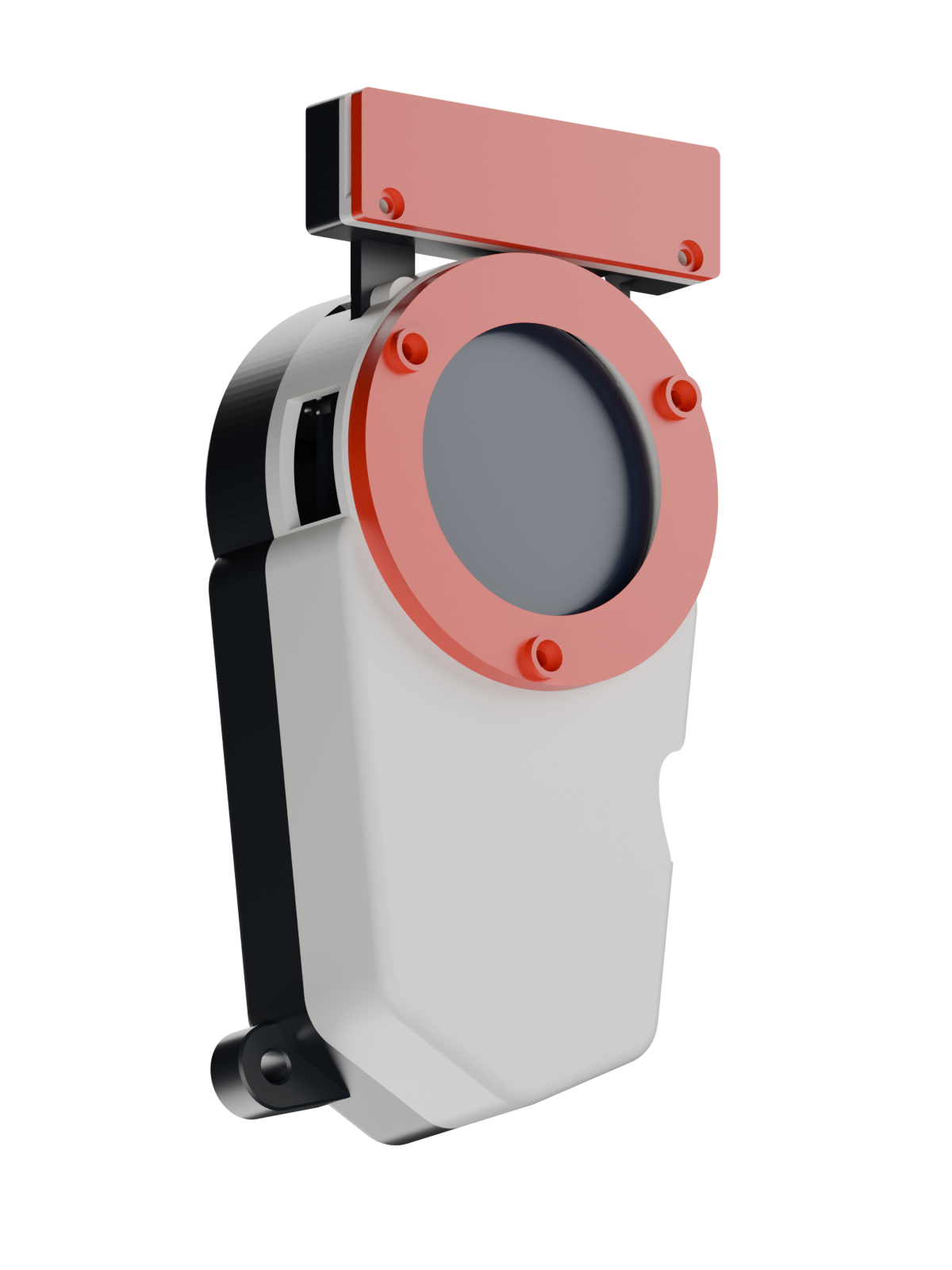
Open up the current C14-P19 touch-only design: white front, black rear, red accents, touchscreen board and battery space. This exploded render uses the actual exported parts.
02 / GATHER THE PARTS
For the current 1.46-inch, touch-first build. The board listing is verified; general supplies use clearly labeled searches. No affiliate links.
Waveshare ESP32-S3-Touch-LCD-1.46, SKU 29565. The 412 × 412 round screen and ESP32-S3 share one board. Choose the standard protective-cover model; the no-cover 1.46B and widened-cover 1.46C are different variants.
A protected 1S 3.7 V LiPo, matched to the board’s charger. The CAD assumes a 36 × 67 × 10 mm cell envelope. No exact cell is qualified: check the complete pack, leads, MX1.25 two-pin connector and polarity before ordering.
3 × M2×4, 10 × M2×8 and 4 × M2×16 mm. Modeled head limits are Ø4 × 2 mm. Match the actual screw heads and test retention in the assembled stack; the printed pilots and thread grip remain unverified.
1.75 mm PLA in three colors for the published print setup. Use the C14-P19 touch-only front and matching common parts. The supplied toolpaths target the Kobra S1 with a 0.4 mm nozzle; use the STLs for other printers.
A microSD card holds the downloaded game assets. The showcased firmware supports FAT32 or exFAT on MBR or unpartitioned cards, not GPT. No particular brand or capacity is qualified here; resident fallback content remains available without a card.
A USB-C cable with data support connects the board for loading firmware and assets. Choose the other end for your computer. Check that the plug housing clears the enclosure opening; no specific cable is fit-qualified.
Links checked 9 October 2026. Confirm the selected board option and seller details before ordering. The battery link is a dimensional reference, not a plug-ready recommendation; allow room for leads and soft, insulated restraint. Physical enclosure fit and screw grip remain unverified. Parts sources and compatibility notes ↗
The reference is an ELECHOUSE PN5321 MINI with a 10 × 25 mm ferrite antenna. It adds a reader tray and three M2×8 screws. Wiring and firmware integration remain unqualified; NFC is omitted from the current touch-only build. No exact Amazon listing was verified.
Manufacturer fallback ↗The optional two-button front references DaierTek momentary switches with 7 mm mounting holes, two per device. These do not belong in the touch-only front. Physical fit, wiring and gameplay-button firmware integration remain unverified.
Verified Amazon listing · optional ↗An optional idea for a future enclosure revision. The current C14-P19 case does not support the earlier magnetic cassette: its roughly 75 mm adapter conflicts with the 60 mm case outline. No compatible purchase is listed.
Current enclosure scope ↗White front, black rear, red accents. Current touch-only geometry, including the C14-P19 receiving pilots.
Waveshare 1.46-inch display/board reference, battery envelope and the relevant supports. Electronics are design references, not scans of installed parts.
Mounts come from the current geometry. Nominal fastener profiles, the 17-screw schedule and optional NFC pieces have their own detail view.
Exploded spacing is illustrative. The battery is a 36 × 67 × 10 mm design envelope. Optional modules are not evidence of installed hardware.
Open the annotated parts view ↗Mounts, fasteners & optional NFC ↗03 / THE GAME
Try the interactive browser sample, then explore the recorded simulator screens and replays below.
BEGIN THE JOURNEY
Browse the egg choices and meet the partner that begins your adventure.
Re-rendered from recorded baseline f74ee4c. Demo states are prepared for review. These are host renders, not photographs of the display.
A native Tactical battle replay from a seeded state. It shows the core-resolved exchange, rendered on the host. It does not measure live device frame timing.
SHOWCASE EDITION / 09 OCT 2026
Hardware footageFour continuous screen close-ups from two originals. Anonymous fingertips remain where they overlap the touch display. Surroundings and audio are excluded. The footage itself does not identify its firmware commit.
SimulatorNative UI from firmware f74ee4c, with prepared sample states. Nearby screens simulate discovery and exchange; they do not verify a radio connection.
EnclosureC14-P19 touch-only parts, with electronics reference geometry and optional items distinguished.
View asset provenance ↗04 / IN HAND
Touch navigation, care, an Auto battle and a new companion — captured on the actual device in the two supplied videos.
Real device. Original speed. Short, silent screen close-ups.
Framed around the device display; incidental surroundings are masked.
HARDWARE FOOTAGE / DEVICE RECORDING 1
HARDWARE FOOTAGE / DEVICE RECORDING 2
Hagurumon faces Tentomon in Auto mode. The capture playback ends with “NEW FRIEND!” and “PARTNER SAVED” on the device.
Original 00:00.0–00:28.8 · cropped hardware footage
The filmed capture is automatic. Manual flick capture is shown in the simulator above. A Nearby discovery screen appears in the source footage; no two-device radio exchange or walking trial is demonstrated.
Open the hardware contact sheet ↗Independent fan project. Digimon names and artwork belong to their respective owners; this project is not affiliated with or endorsed by them. The showcase presents recorded gameplay, rendered screens and a playable demo with scoped in-game artwork. Original source sheets and import packs are not offered as downloads. Sources and notices ↗